Autograde Python assignments with tests and a rubric, inside Canvas or Moodle
Your pytest tests mark the code, your rubric marks what tests cannot see, and the final grade lands in the Canvas or Moodle gradebook. Students code in a ready lab in the browser, opened from the course, with no install and no extra password. Everything below is one real assignment, run end to end.
How it works
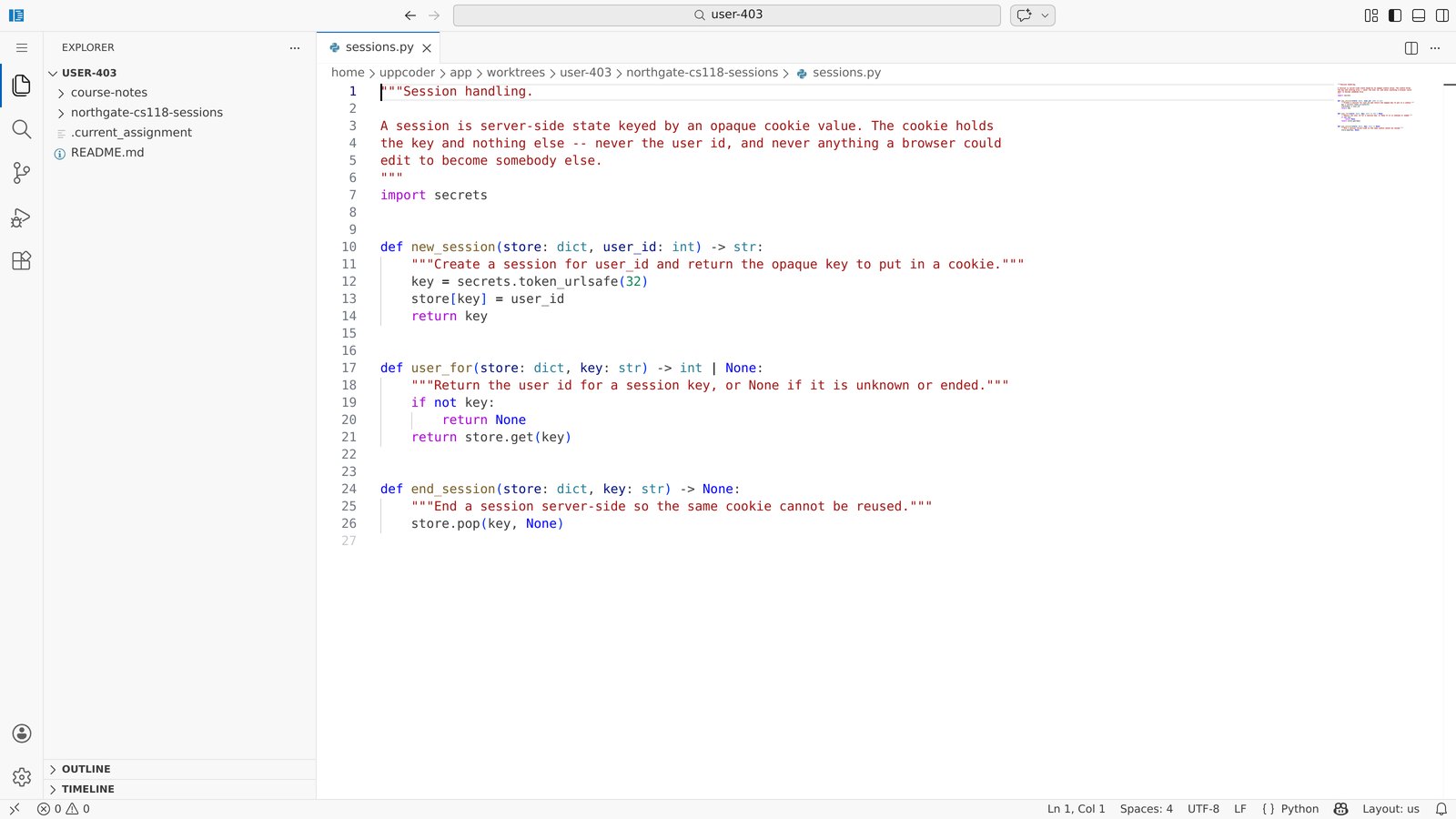
The assignment lives in a git repository: the brief, the starter code, the tests and a reference solution. Each student gets their own copy of the starter in a lab with VS Code and a terminal. The tests run in a separate container that reads the course without changing it, so students see which tests pass but never the test files or the solution.
- Automatic part: your pytest tests, public checks and hidden marking tests
- Manual part: a rubric that you or a TA score, criterion by criterion
- How the two combine is set per course, 60% tests and 40% rubric unless you change it
- Canvas and Moodle over LTI 1.3: the lab opens inside the course and the final grade goes back
Lay out the assignment
One repository per assignment. README.md is the brief (students get it as ASSIGNMENT.md), starter/ is what every student starts from, tests/public holds the checks, tests/hidden the marking tests, solution/ your reference answer. A small config file says how the tests run and what they are worth. Our example assignment on GitHub is laid out exactly like this; copy it and keep your copy private, since it holds the solution and the marking tests.
README.md                  the brief
starter/sessions.py        what students start from
tests/public/              checks
tests/hidden/              marking tests, teachers only
solution/sessions.py       the reference solution, teachers only
.autograder/config.yaml

# .autograder/config.yaml
test_command: pytest tests -v --tb=short
timeout_seconds: 90
max_score: 100
public_tests: tests/public
hidden_tests: tests/hidden
- websson/python-autograded-assignment on GitHub: an example Python assignment with starter code, public and hidden tests and a reference solution.
Write the tests
Plain pytest against the starter folder. These are the public checks of our assignment, where students add sessions to a web app. Its four hidden tests go further: keys must be unguessable, the cookie must not carry the user id, an empty key is refused and ending a session twice is harmless. The score is the share of tests that pass.
import sys
from pathlib import Path

sys.path.insert(0, str(Path(__file__).resolve().parents[2] / "starter"))

from sessions import end_session, new_session, user_for


def test_round_trip():
    store = {}
    key = new_session(store, 7)
    assert user_for(store, key) == 7


def test_unknown_key():
    assert user_for({}, "nope") is None


def test_end_session():
    store = {}
    key = new_session(store, 7)
    end_session(store, key)
    assert user_for(store, key) is None
Check the tests before students see them
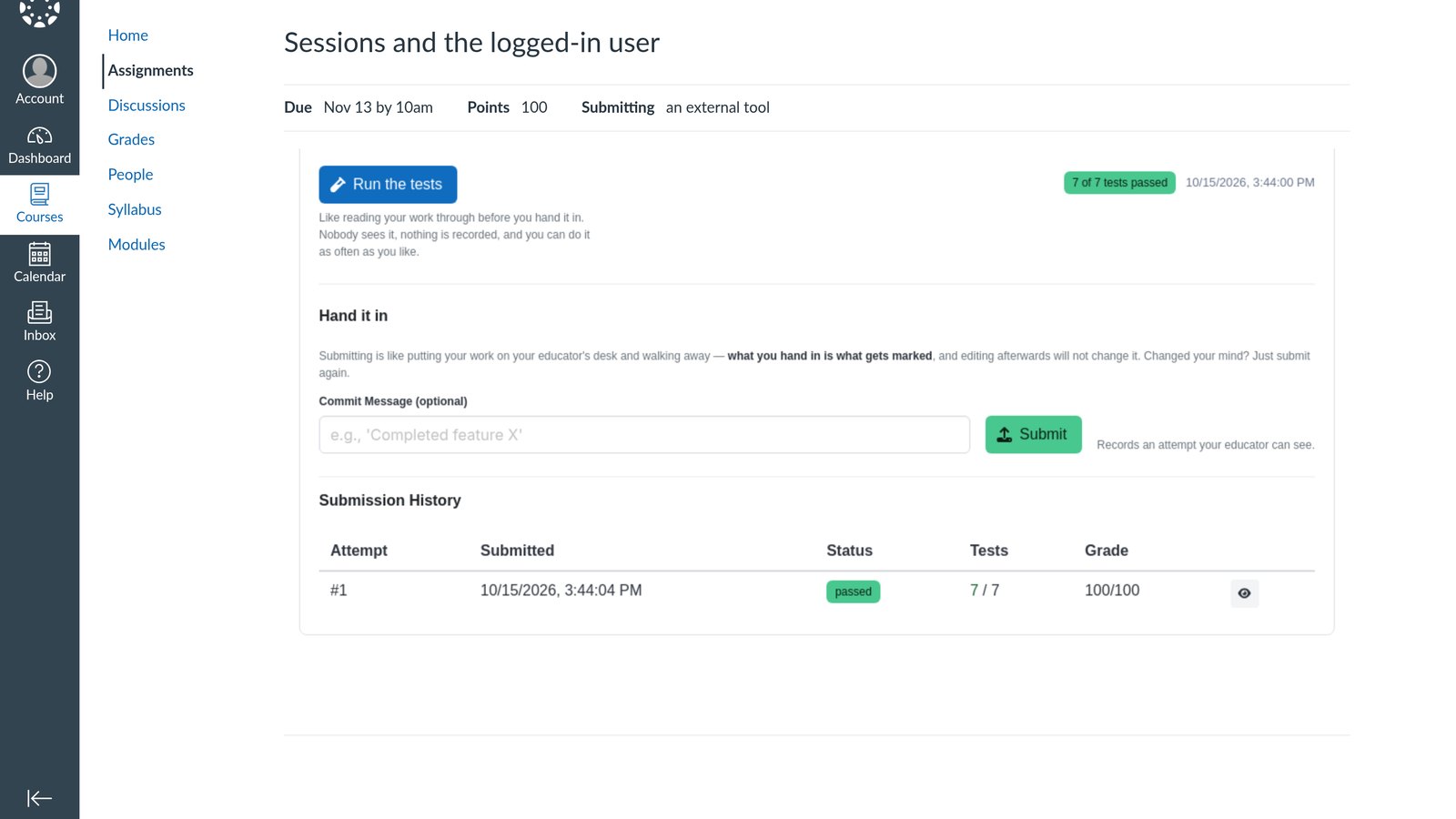
Add the assignment to your course and press Test in lab. Its tests run against your solution, which must pass, and against the starter, which should fail: a starter that already passes means the tests check nothing. Ours took 12 seconds: the solution passed all 7, the starter failed all 7.

Add the rubric
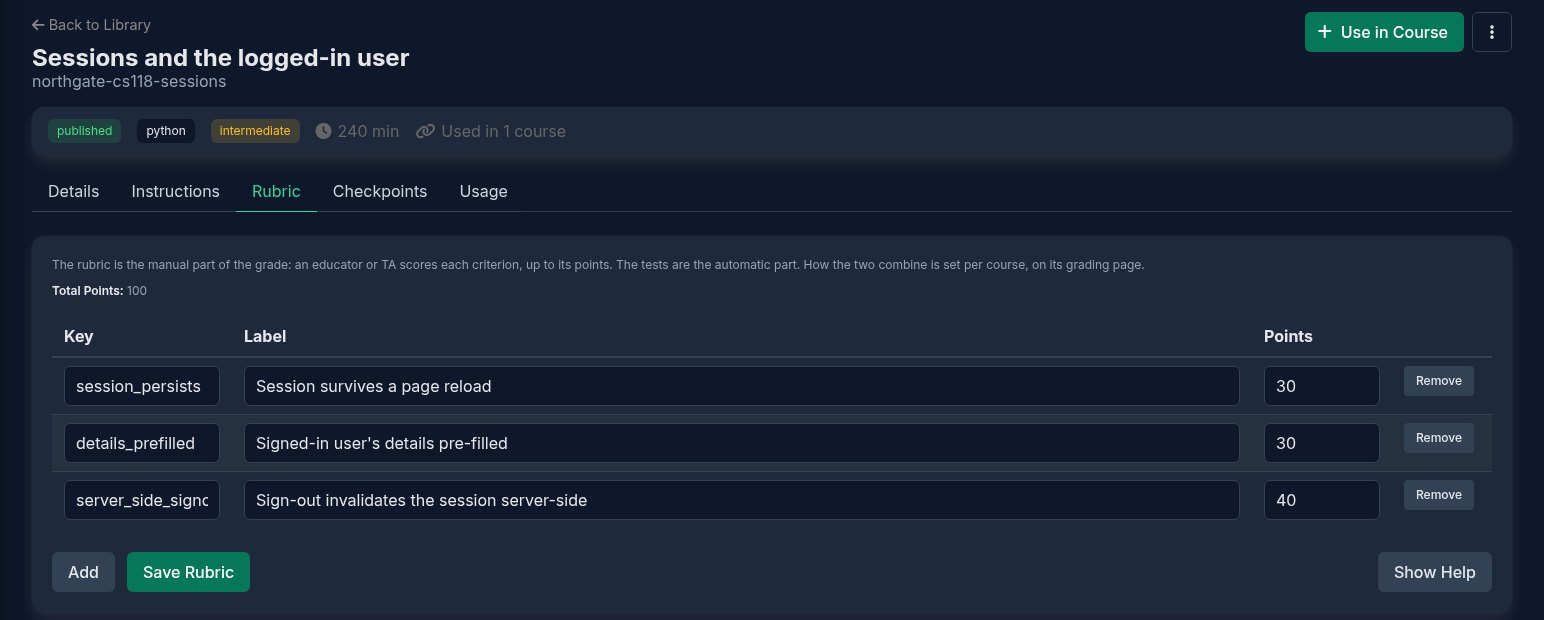
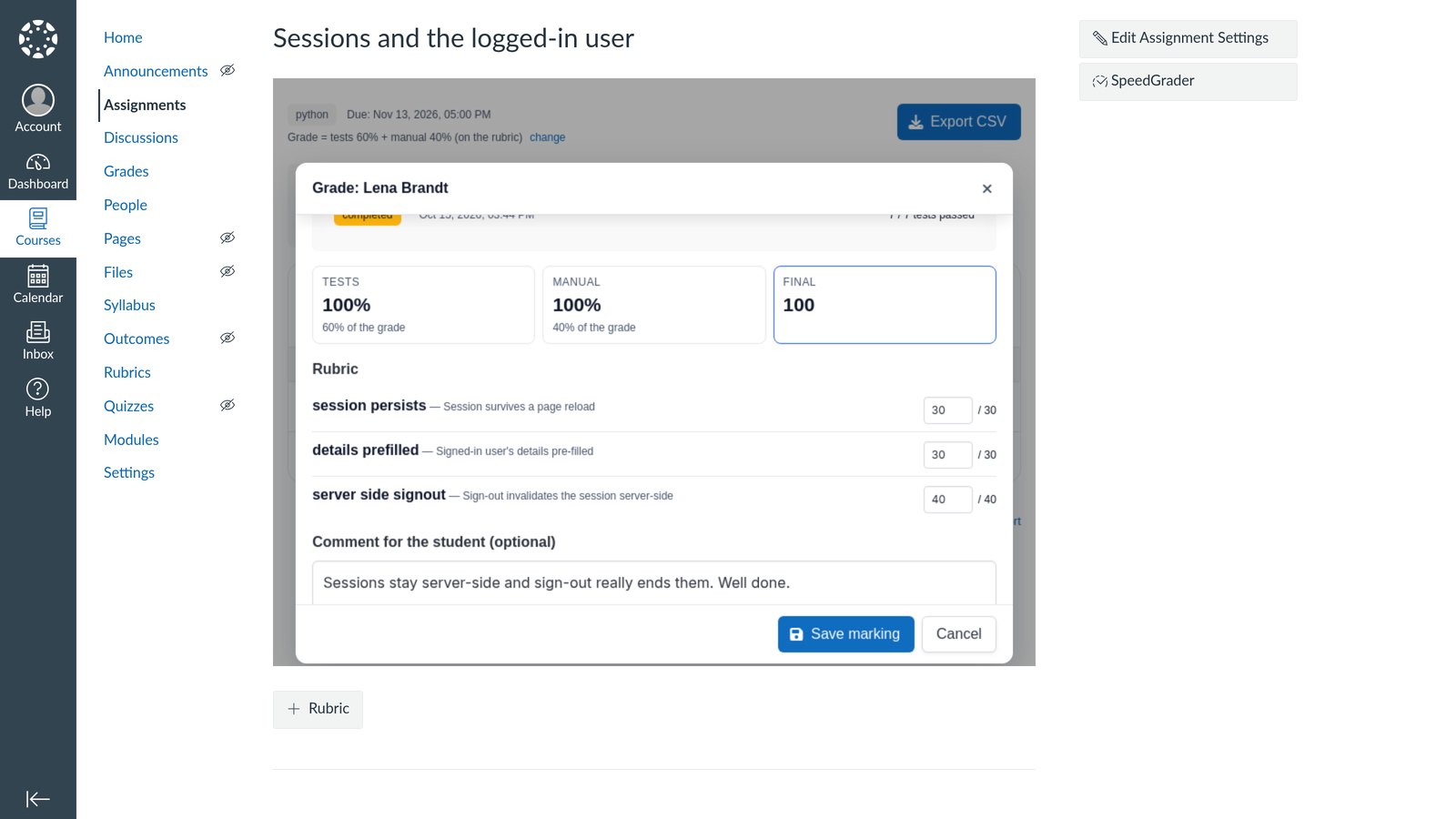
The rubric is the part tests cannot judge. Each criterion has a key, what earns the points, and its points; a marker scores each one from zero up to its points. Ours has three: the session survives a page reload (30), the signed-in user's details are pre-filled (30), sign-out ends the session on the server (40).
Set how tests and rubric combine
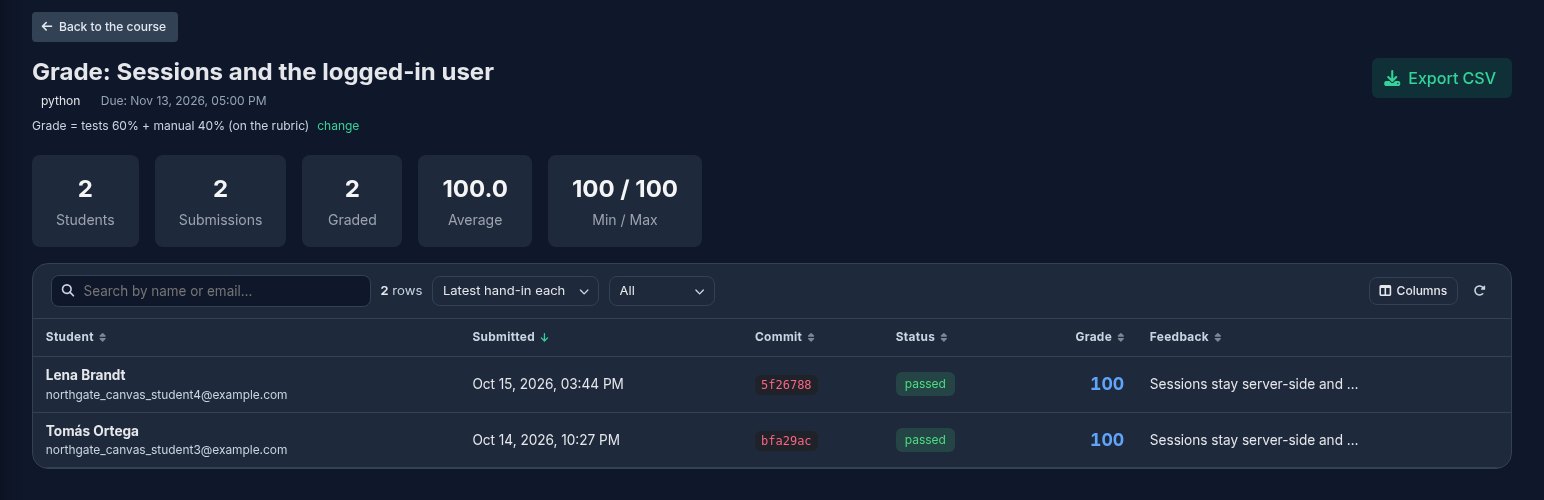
On the assignment's grading page: Grade = tests 60% + manual 40% (on the rubric), with change beside it. Set the tests to 100% for an assignment with no manual marking. A student whose tests pass 7 of 7 and who scores 100 of 100 on the rubric gets 100; if one hidden test fails, the tests part drops and so does the grade.
Put it in Canvas or Moodle
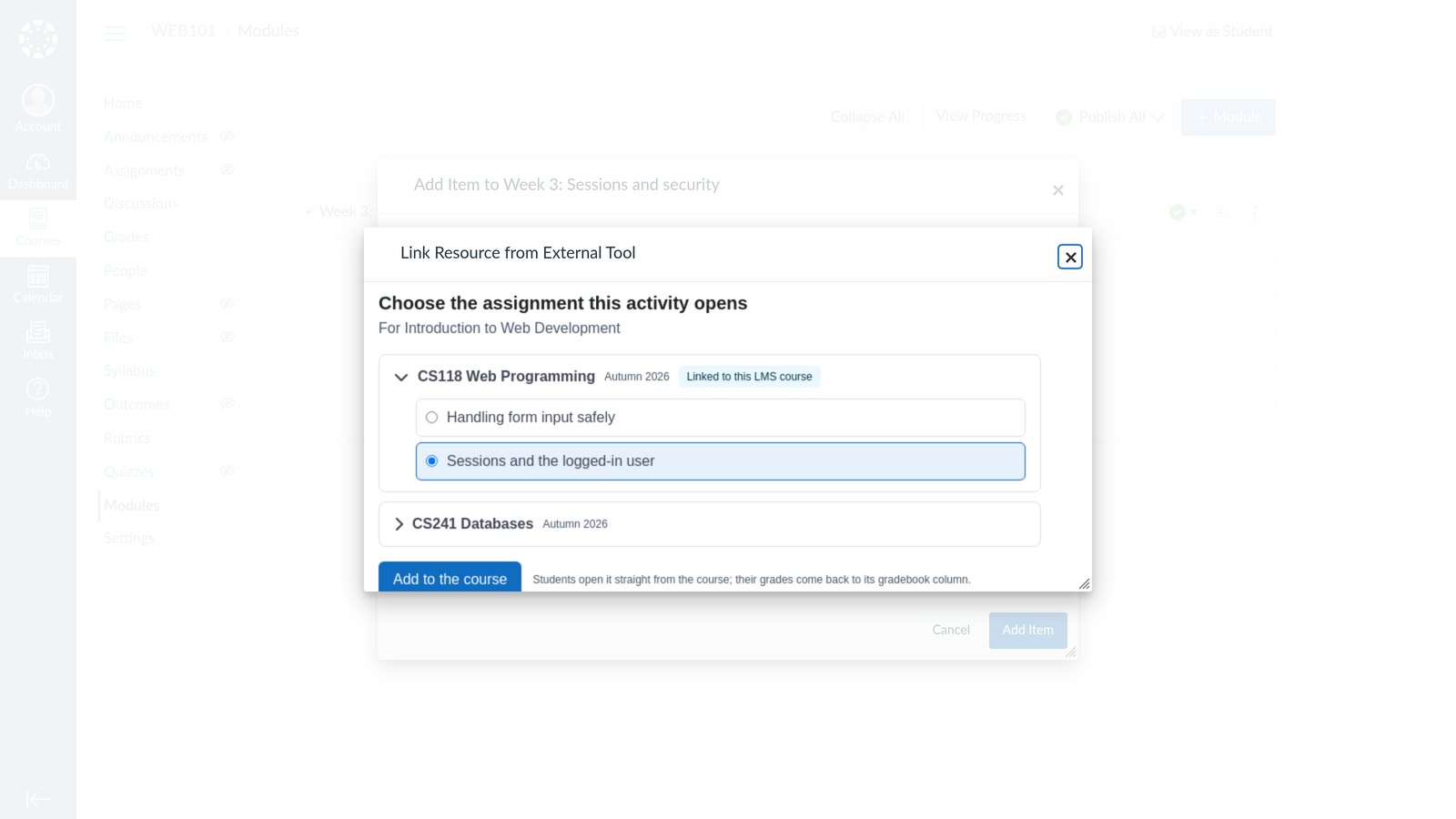
Connect your Canvas or Moodle once: Connect an LMS in your Uppcoder school, with the addresses from the LTI setup guide. Then in Canvas: Modules, +, External Tool, Uppcoder, and pick the assignment; Canvas makes a graded assignment with its gradebook column and the due date set in Uppcoder. In Moodle: Add an activity or resource, Uppcoder Code Lab, Select content, and pick it the same way. The class list comes across from the course, so nobody is invited by hand.
- LTI setup guide Moodle and Canvas: what to copy where, step by step.
What the student does
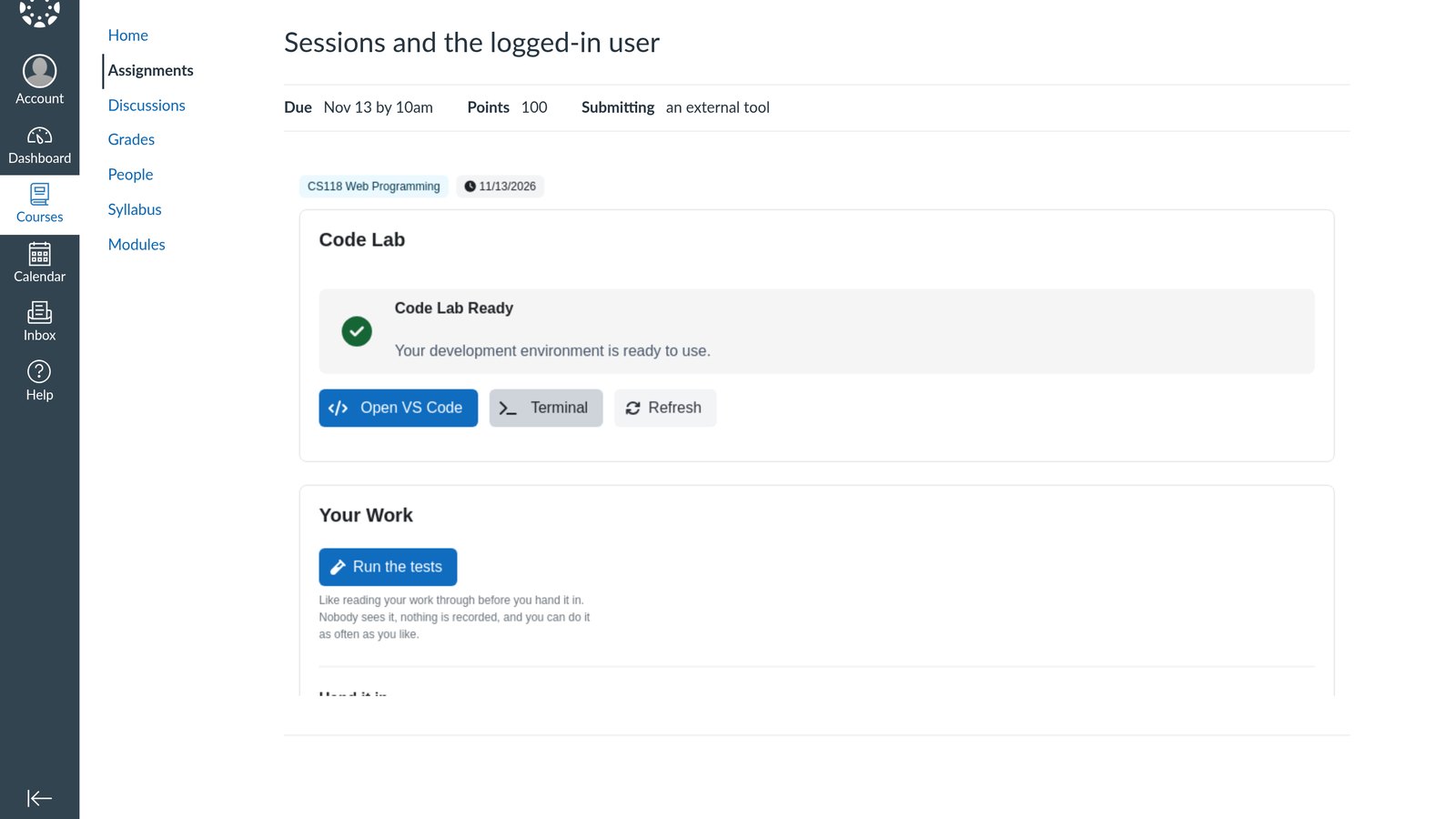
The student opens the assignment in Canvas and their lab is there, with the brief and the starter in VS Code in the browser. Run the tests shows which tests pass, as often as they like; nothing is recorded. Submit hands the work in: the tests run on exactly what was handed in, and the result is on the page a moment later.
Mark it, and the grade goes to the gradebook
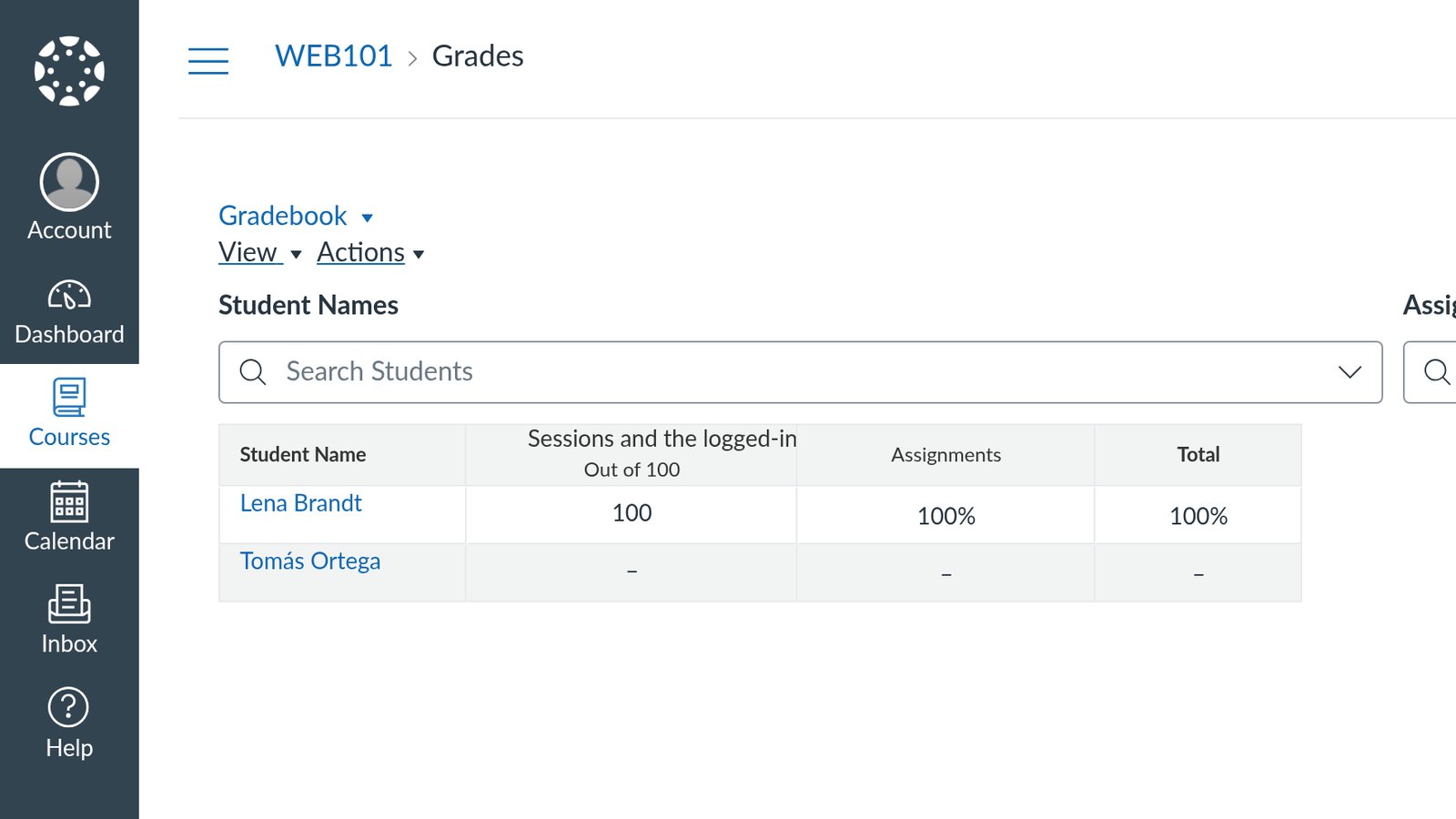
You or a TA open the hand-ins from inside Canvas, read the code, score each rubric criterion and leave a comment. The tests part is already filled in. Save marking, and the final grade appears in the Canvas gradebook, the same way in Moodle.
Your tests, your rubric, your LMS: Python assignments marked where students write them.