Run Wiki.js with PostgreSQL in one click
A wiki for your team, your course or your product docs: Wiki.js with its own PostgreSQL database, on its own HTTPS address. Pick the template, name the app and deploy; the database is set up for you. Ours was running in 16 seconds.
What you get
Wiki.js 2 as its makers publish it, with nothing changed.
- Wiki.js 2, the official image
- Its own PostgreSQL 17 database, connected for you
- Its own HTTPS address from the first minute
- Pages written in Markdown or a visual editor, with diagrams, search and page history
Deploy it from the template
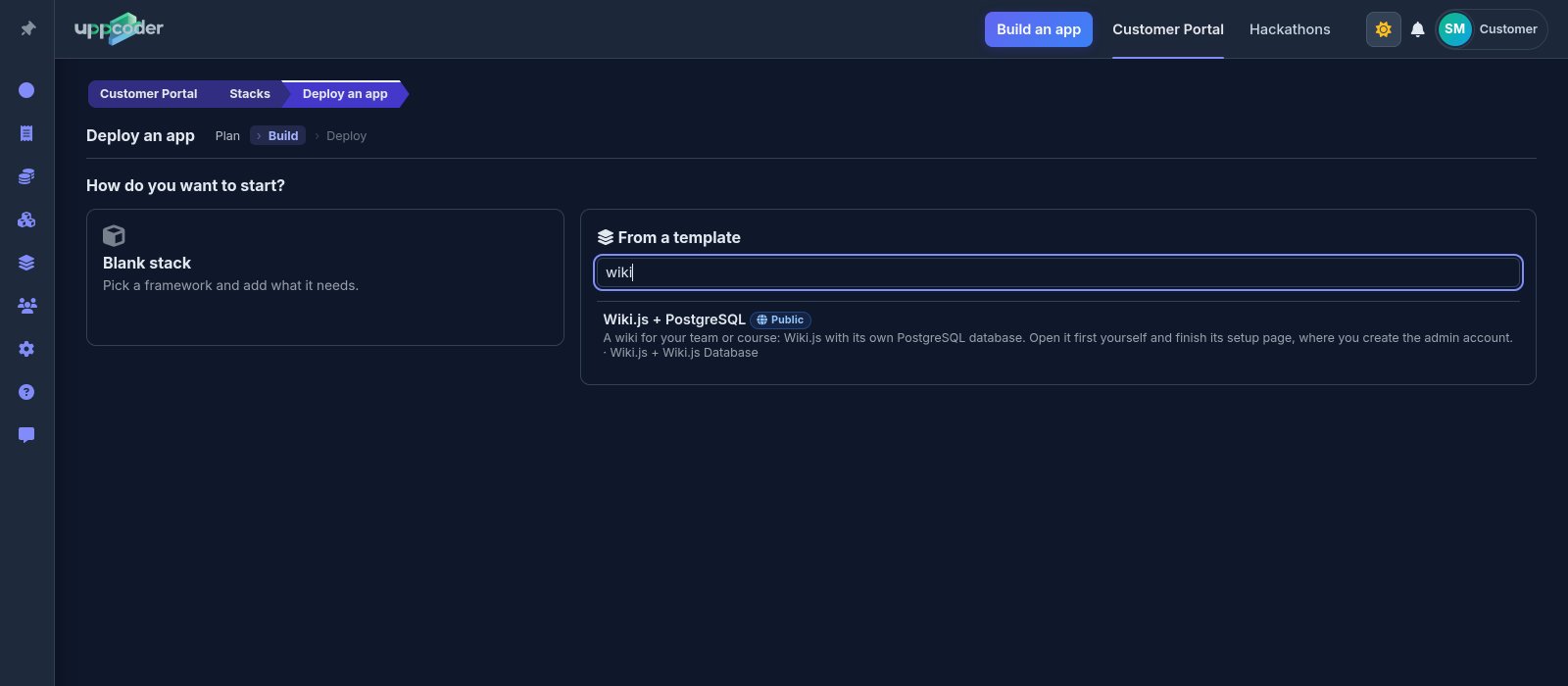
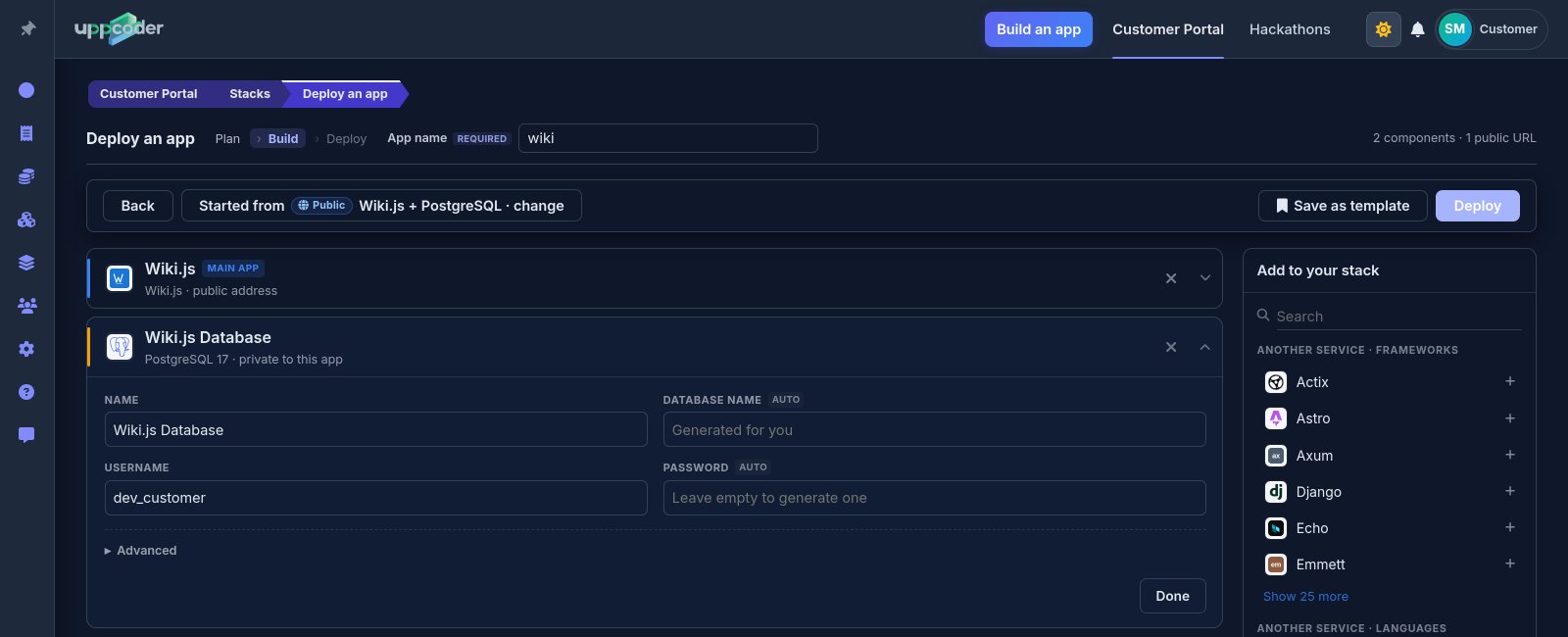
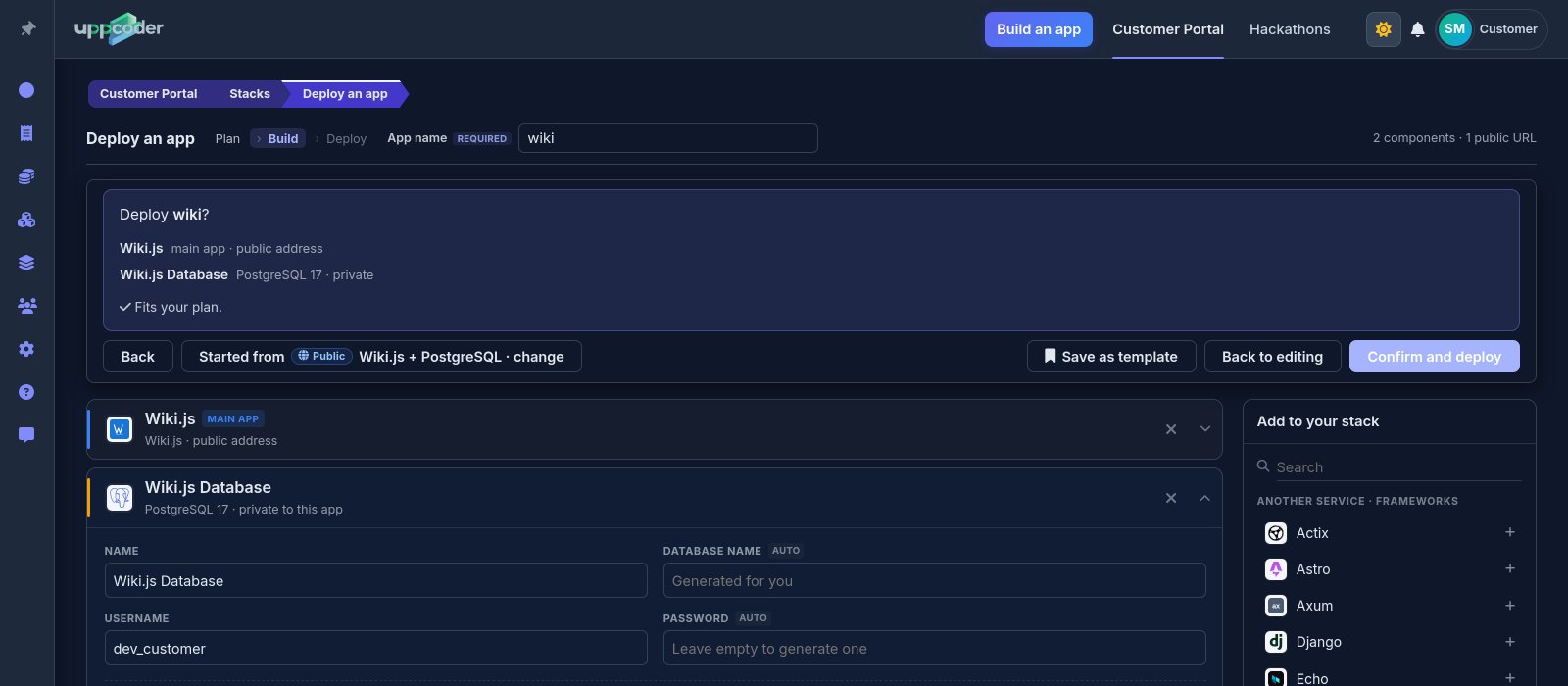
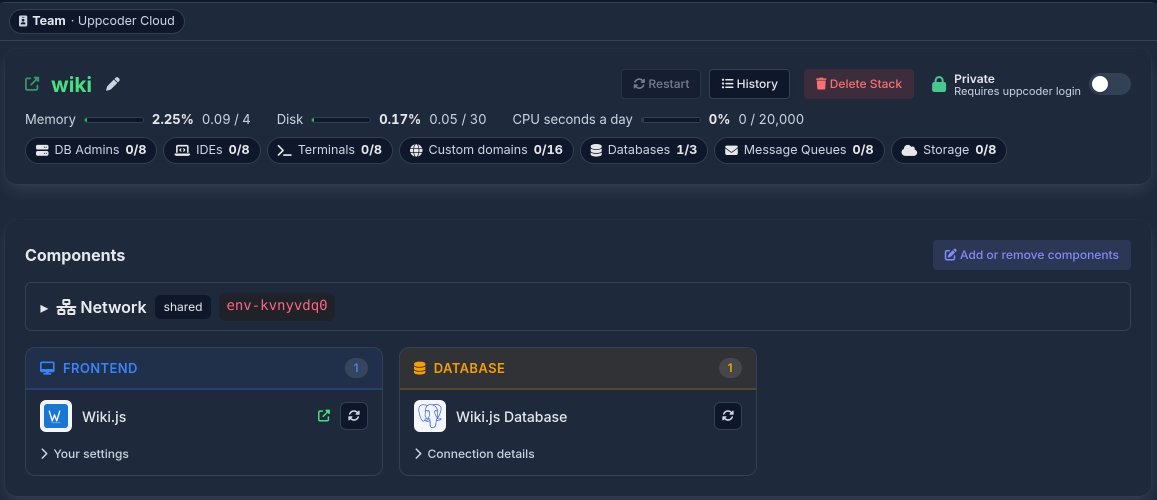
Sign in, then Stacks, Create, From a template, and pick Wiki.js + PostgreSQL. Give the app a name. The Wiki.js card asks for an admin email: type the address you will sign in with. On the database card the username is already yours and the password is made for you if you leave it empty; both are under Connection details on the stack page afterwards. Press Deploy, check the summary, then Confirm and deploy.
Finish Wiki.js's setup page
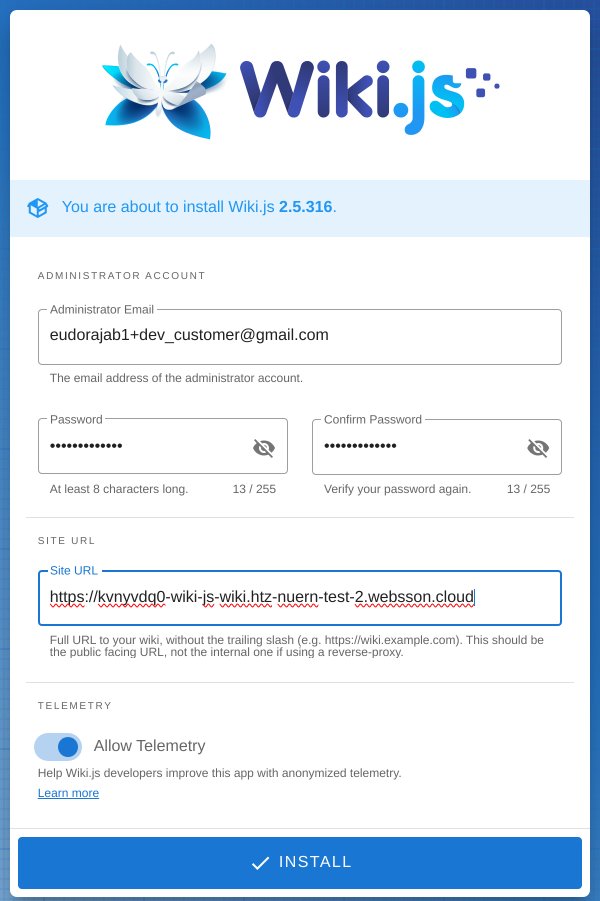
Open the app's address. Wiki.js shows its own setup page once. Type the administrator email and a password, then change Site URL from the example wiki.yourdomain.com to the app's own address (the one in your browser, without a slash at the end), and press Install. Sign in with that email and password, and Wiki.js asks you to create the home page.

Bring your team in
The app starts private: only you can open it. Switch it from Private to Public on the stack page when you want others to read it, then add people, groups and who may edit what under Administration in Wiki.js.
Questions people ask
Can I run Wiki.js without setting up a server?
Yes. Uppcoder starts Wiki.js and its PostgreSQL database for you from a template, on its own HTTPS address. There is no server, Docker or database to set up yourself.
Does it come with a database?
Yes, its own PostgreSQL 17 database, connected for you. You choose its username and password, or let Uppcoder make the password.
Can people read the wiki without an account?
Yes, once you switch the app to Public and allow guests to read in Wiki.js's Administration.
A wiki and its database, live in seconds. Uppcoder is not affiliated with the Wiki.js project.