Run Gitea with PostgreSQL in one click
Your own Git server: Gitea with its own PostgreSQL database, on its own HTTPS address. Pick the template, name the app and deploy; the database and the address are set up for you. Ours was running in 10 seconds.
What you get
Gitea as its makers publish it, with nothing changed.
- Gitea, the official image
- Its own PostgreSQL 17 database, connected for you
- Its own HTTPS address from the first minute, and clone links that use it
- Repositories, issues, pull requests, wiki and packages kept on disk across restarts
Deploy it from the template
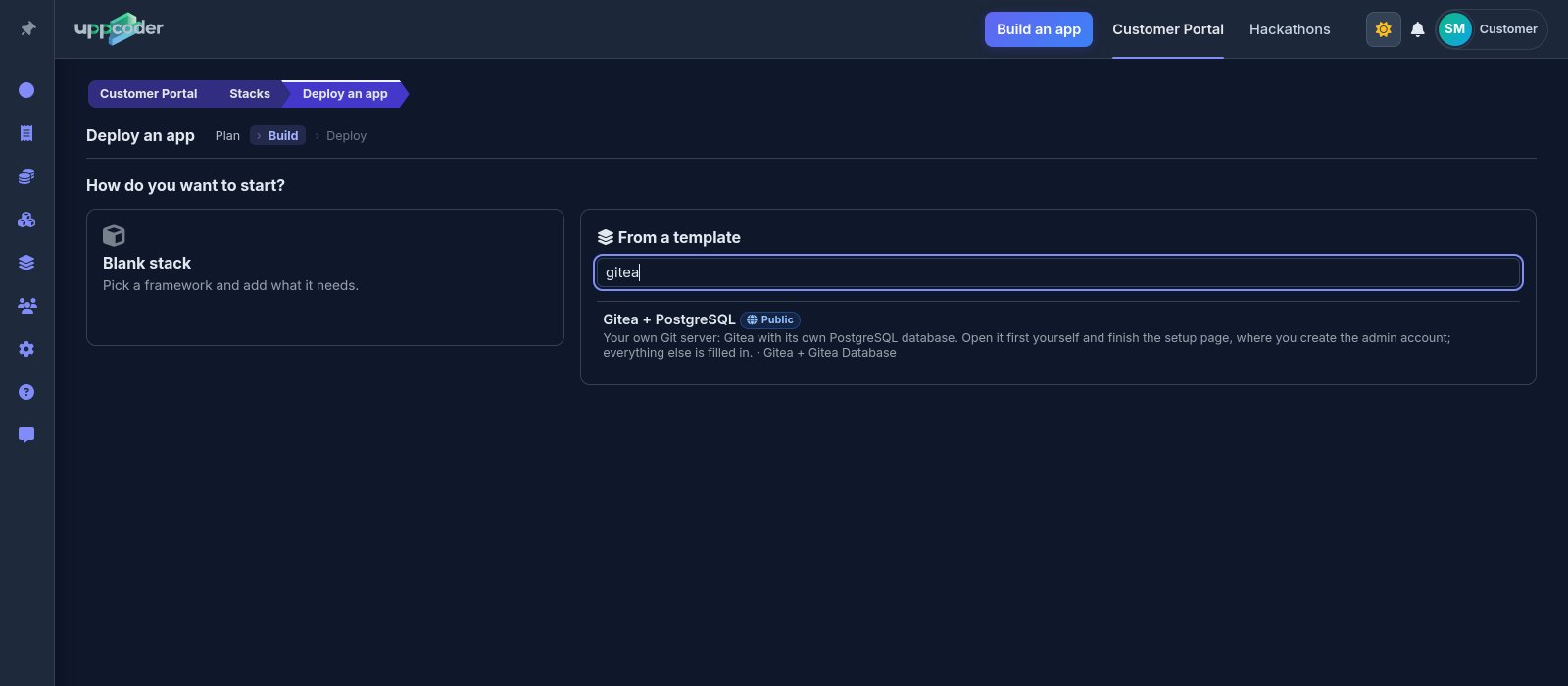
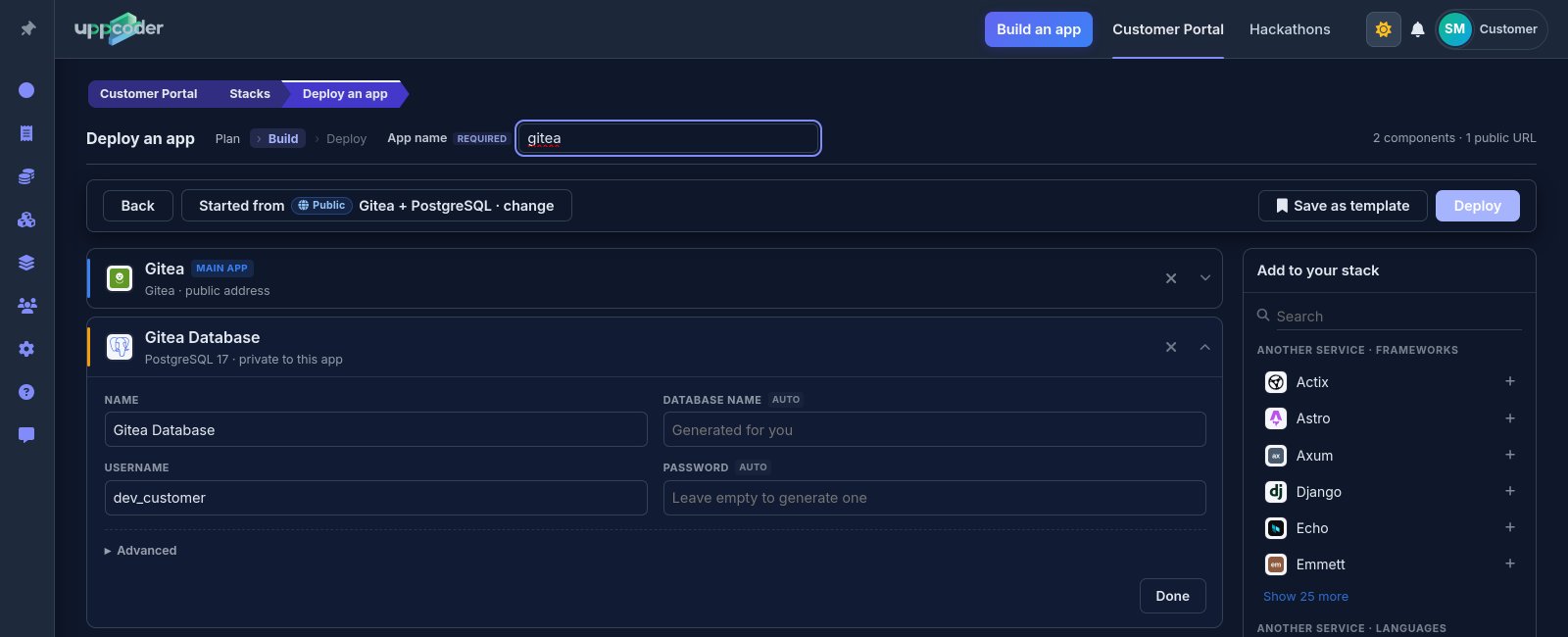
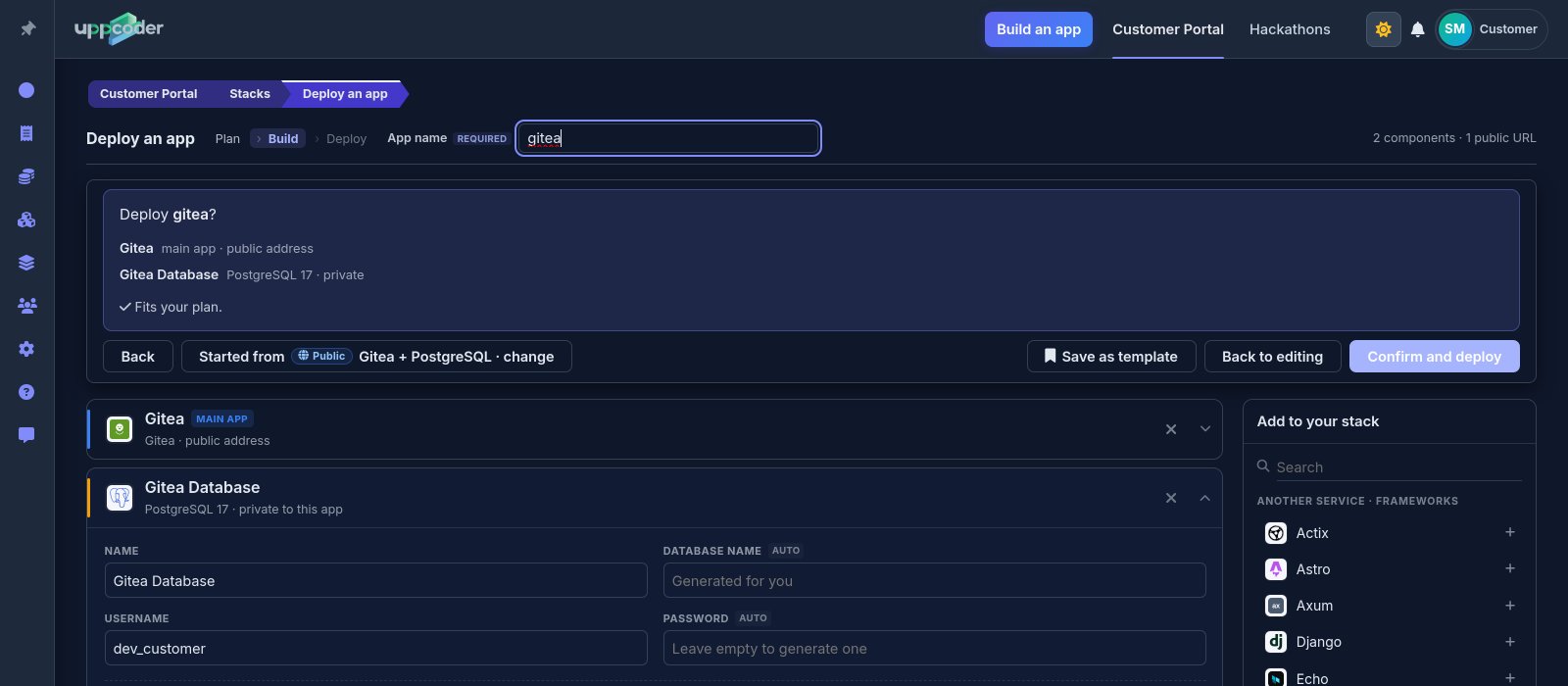
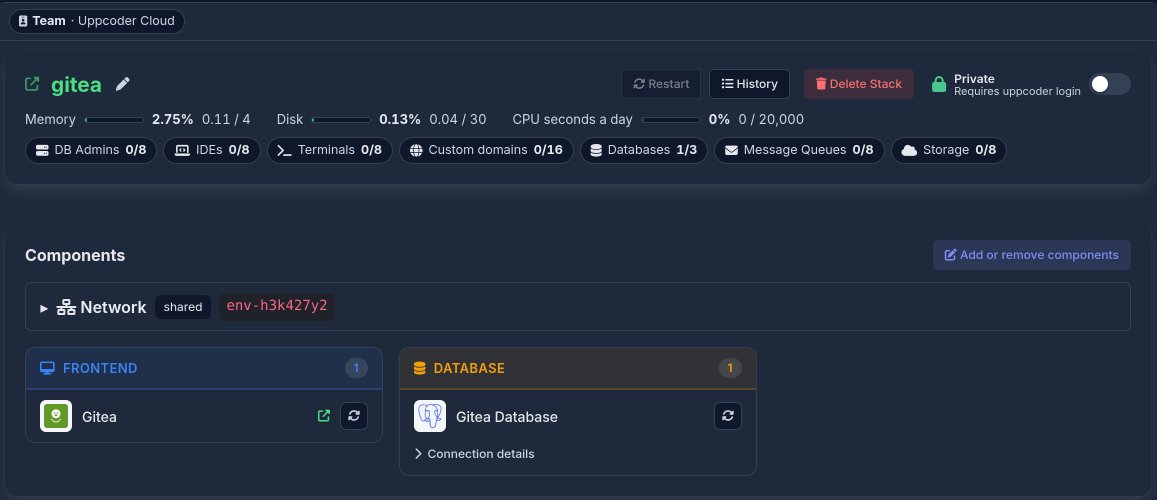
Sign in, then Stacks, Create, From a template, and pick Gitea + PostgreSQL. Give the app a name. On the database card the username is already yours and the password is made for you if you leave it empty; type your own if you prefer. Both are under Connection details on the stack page afterwards. Press Deploy, check the summary, then Confirm and deploy.
Finish Gitea's setup page
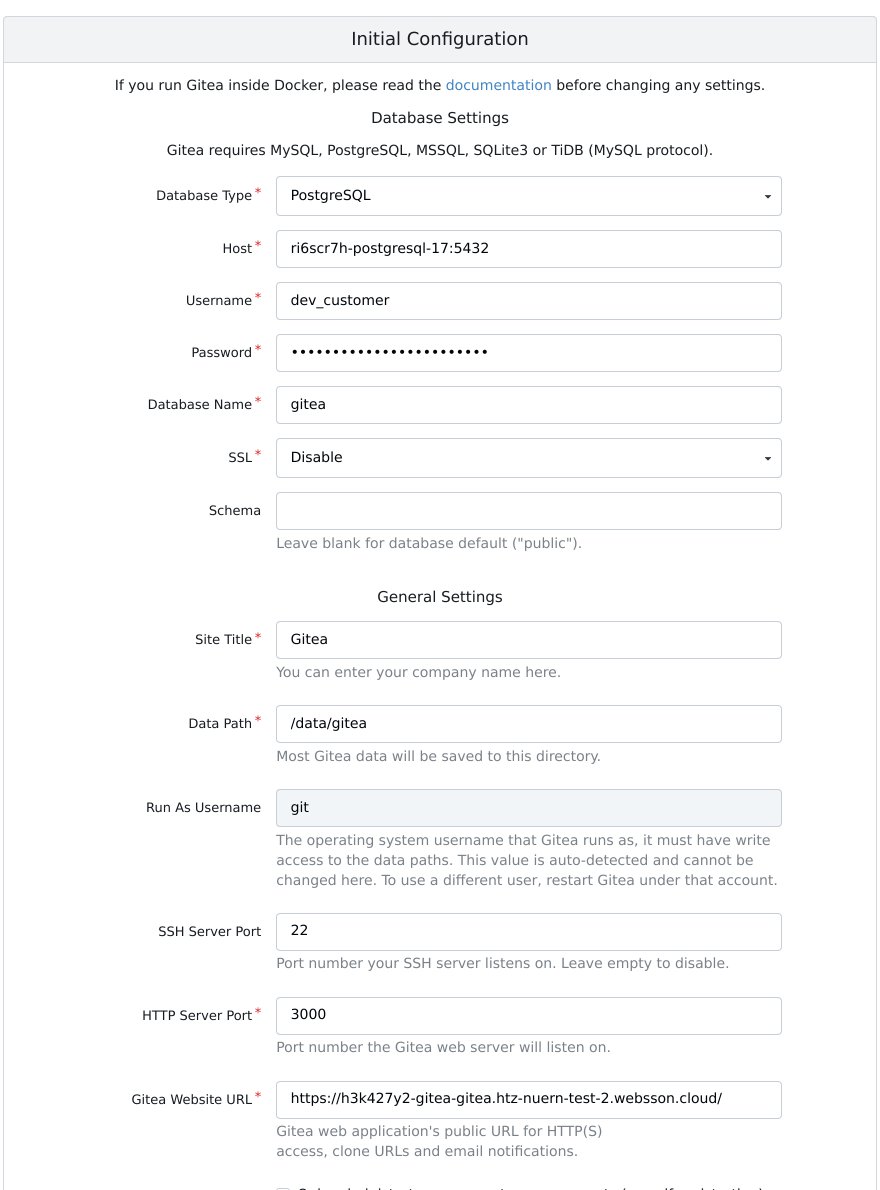
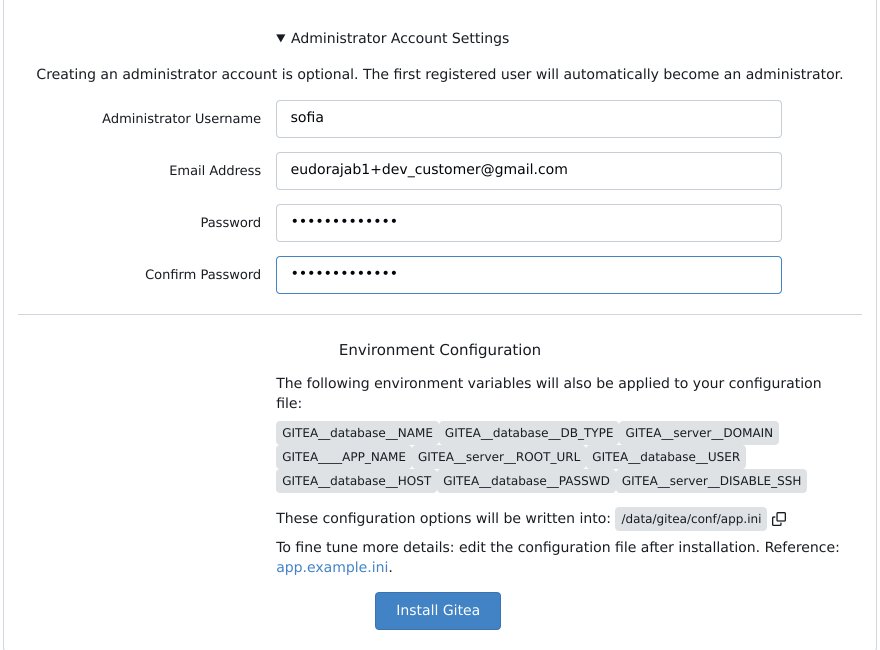
Open the app's address. Gitea shows its own setup page once, with everything already filled in: the database, and the app's own address as the Gitea website URL, which is what clone links and emails use. Open Administrator Account Settings at the bottom, choose your admin username and password, and press Install Gitea. If you will make the app public, tick "Only administrators can create user accounts" first, so nobody can sign themselves up.
Create a repository and clone it
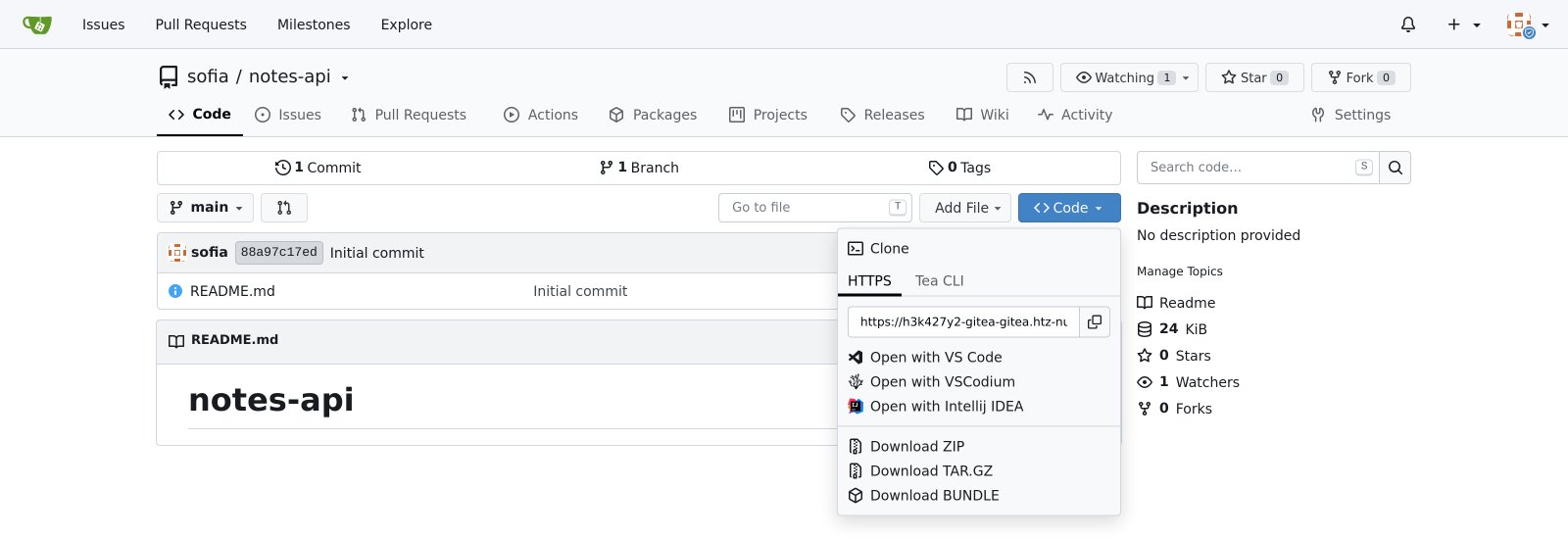
New Repository, give it a name, and it is ready. The Code button gives the clone address on the app's own HTTPS address; clone and push over HTTPS with your Gitea username and password, or an access token from your Gitea settings.
Bring your team in
The app starts private: only you can open it. Switch it from Private to Public on the stack page when you want others to use it, then add their accounts in Gitea's Site Administration, or let them register if you left sign-up open.
What is left out
Said up front:
- Clone and push over HTTPS only: SSH is switched off, because only HTTPS reaches the app
- Gitea Actions needs a runner, which this template does not include
Questions people ask
Can I run Gitea without setting up a server?
Yes. Uppcoder starts Gitea and its PostgreSQL database for you from a template, on its own HTTPS address. There is no server, Docker or database to set up yourself.
Does it come with a database?
Yes, its own PostgreSQL 17 database, connected for you. You choose its username and password, or let Uppcoder make the password.
Can I clone over SSH?
No, over HTTPS: clone links use the app's own HTTPS address, with your Gitea password or an access token.
Your own Git server and its database, live in seconds. Uppcoder is not affiliated with the Gitea project.