Deploy a FastAPI app with PostgreSQL, free
Put a FastAPI app online on its own HTTPS address, with a real PostgreSQL database beside it and VS Code in the browser, on the free plan. Ours was running in 39 seconds, with the database driver already installed and the connection string waiting in the environment.
What you get on the free plan
The free plan (Spark) runs one app with one database. No card needed.
- One app with one database: 2 GB of memory and 2 GB of disk
- VS Code in the browser and a terminal in the same container as the app
- Its own HTTPS address from the first minute
- SSH from your own editor, if you prefer it
Sign up and take the free plan
Sign up at portal.uppcoder.com and click the link in the confirmation email first: the free plan starts only once your address is confirmed. Then go to Billing, Available Plans, Spark, Start free.
Create the app: FastAPI and PostgreSQL
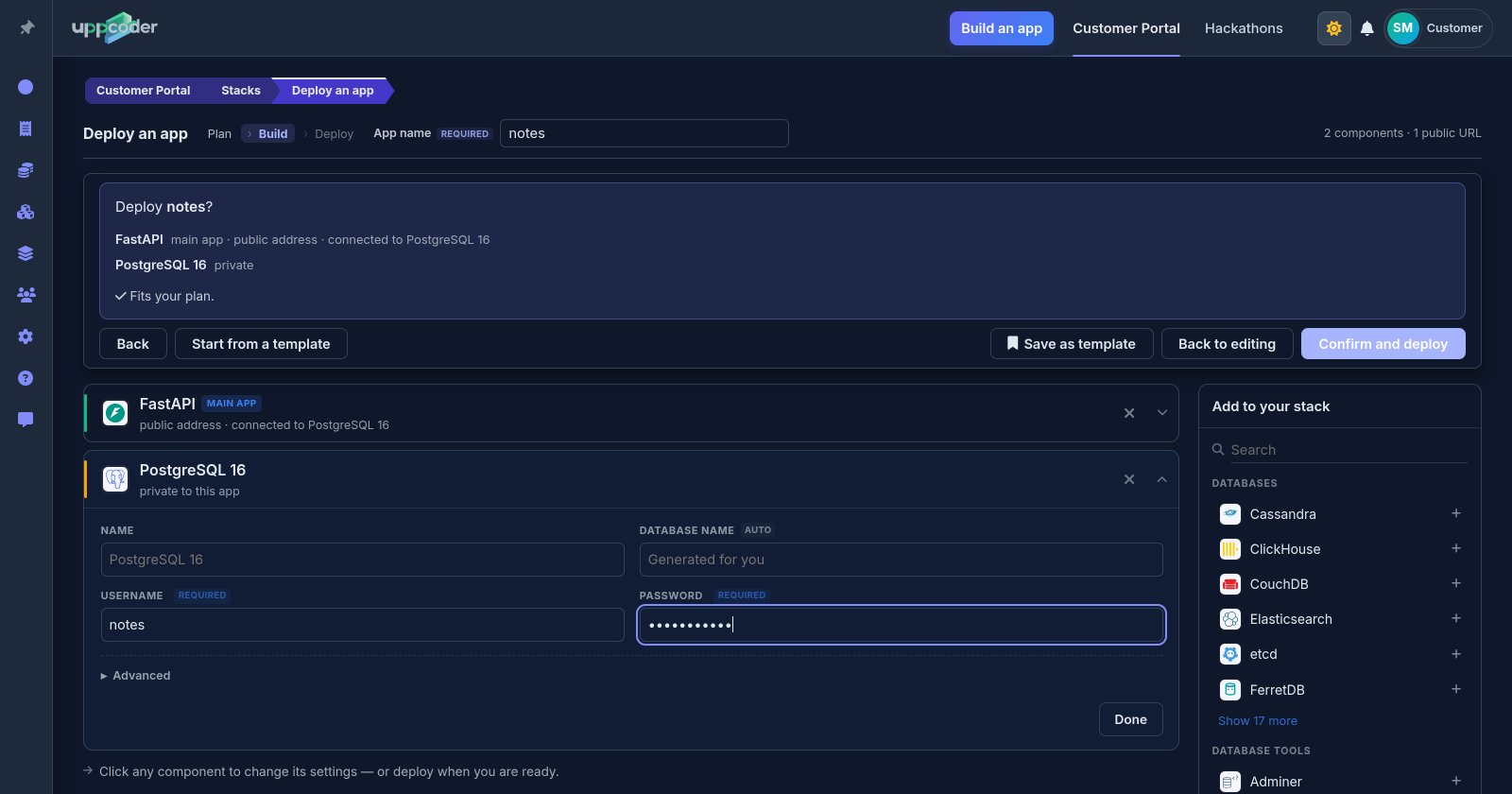
Stacks, Create, Blank stack. Type "fastapi" in the search box and pick FastAPI, then search for PostgreSQL and add it: it is connected to the app automatically. Give the app a name and give PostgreSQL a username and password; the database name is filled in for you. VS Code, Terminal, Files and SSH are ticked by default.
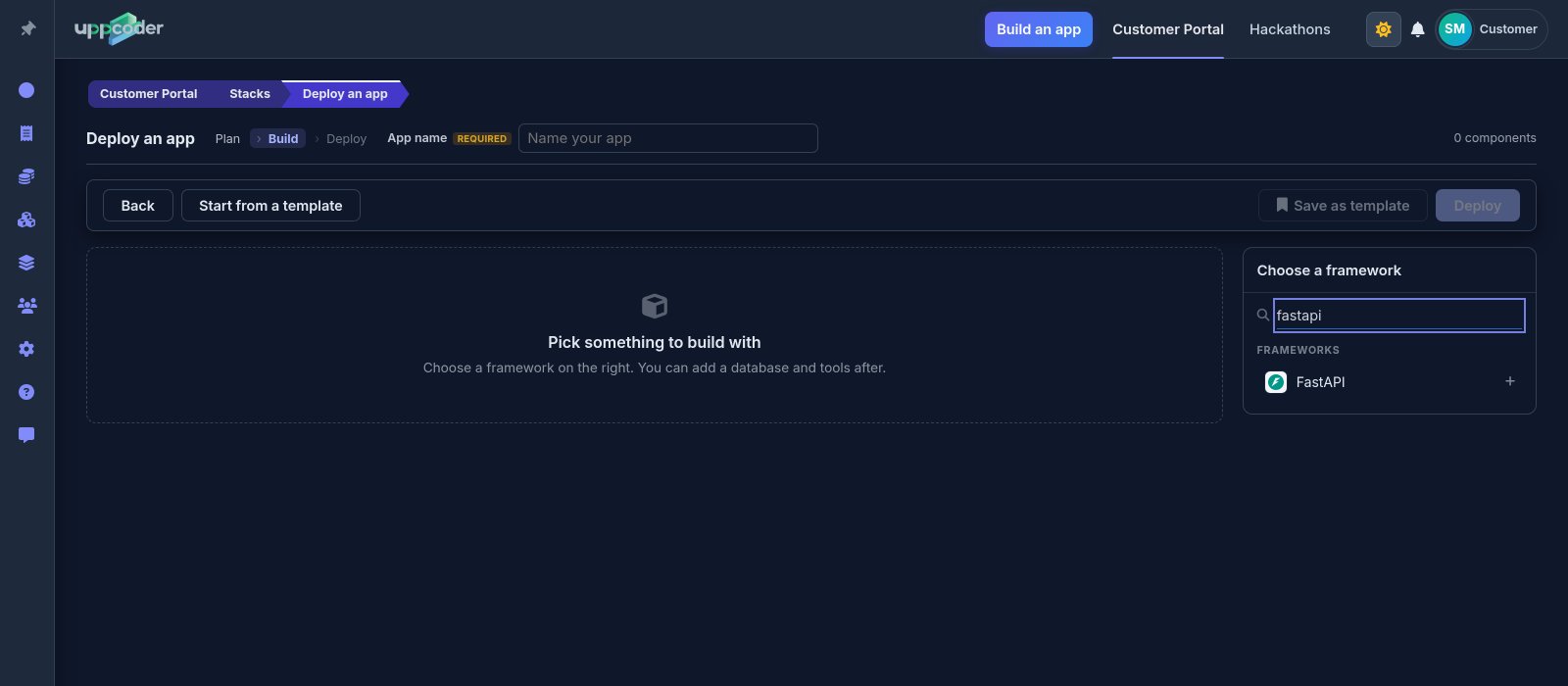
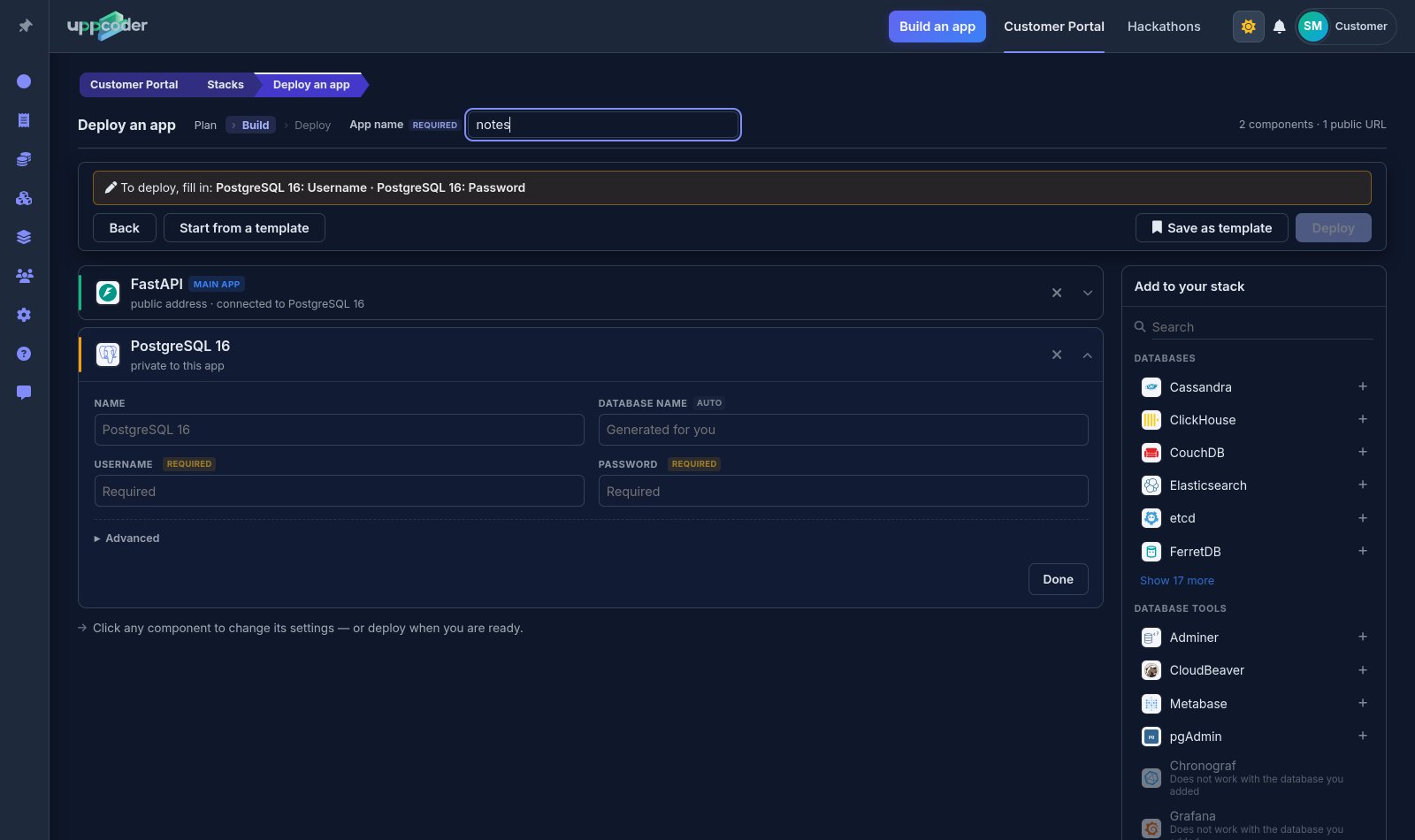
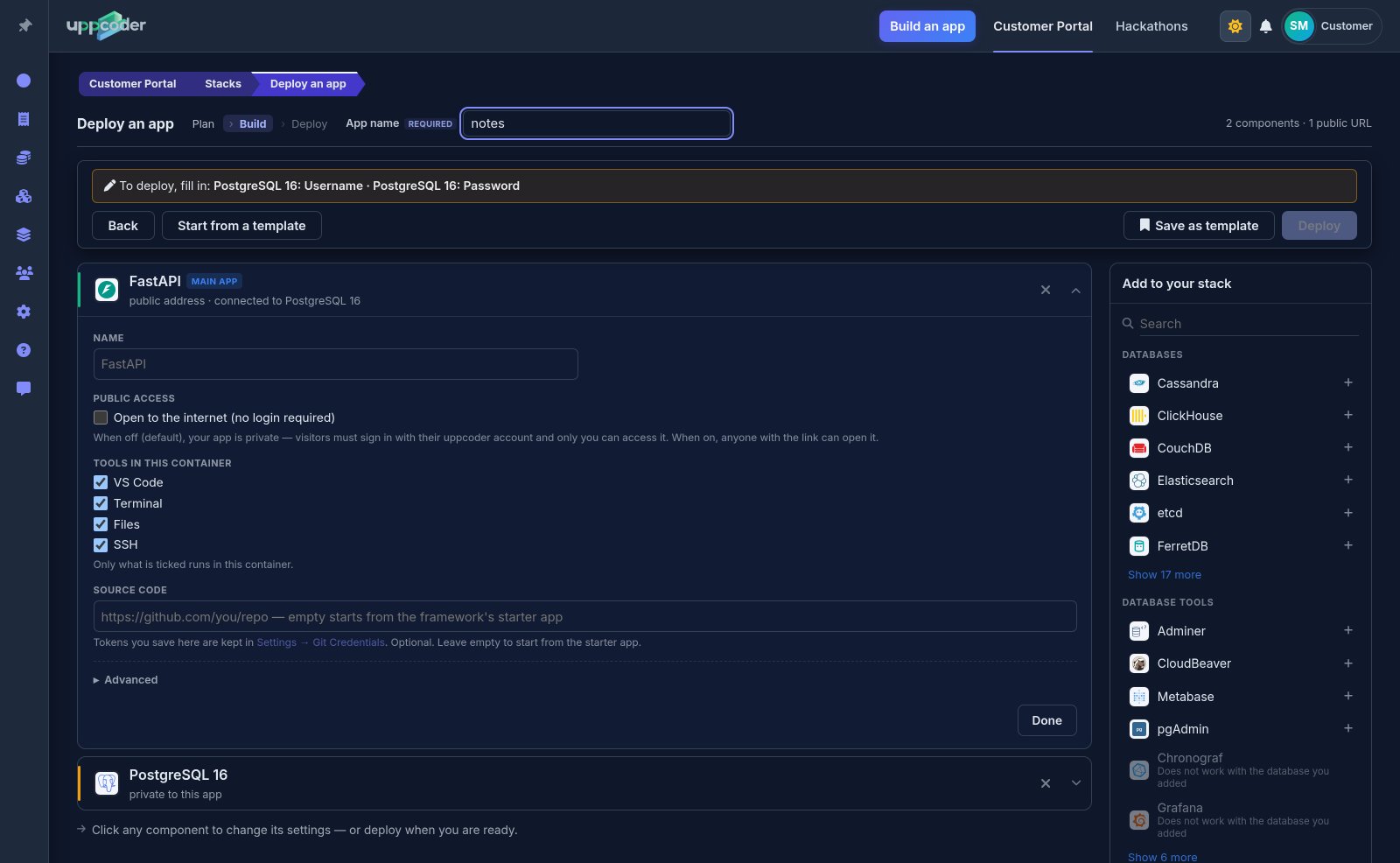
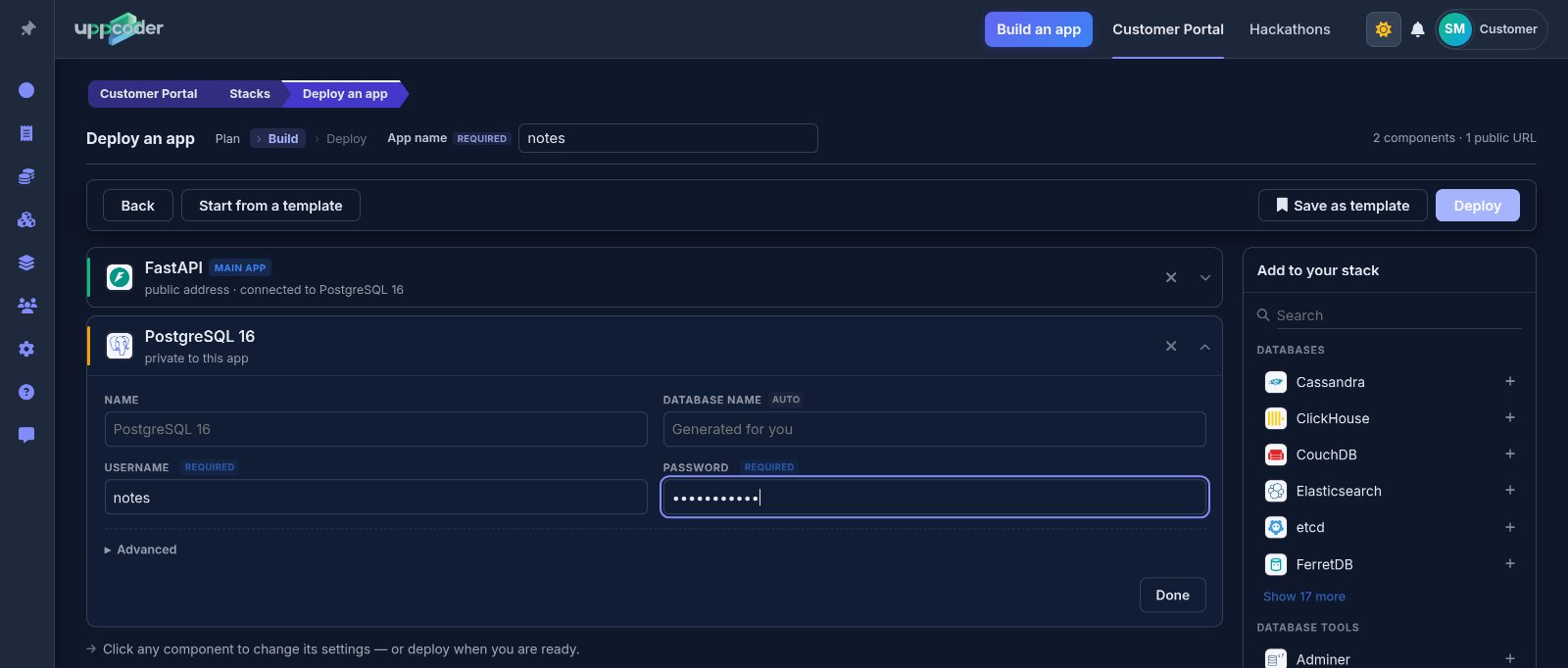
Deploy
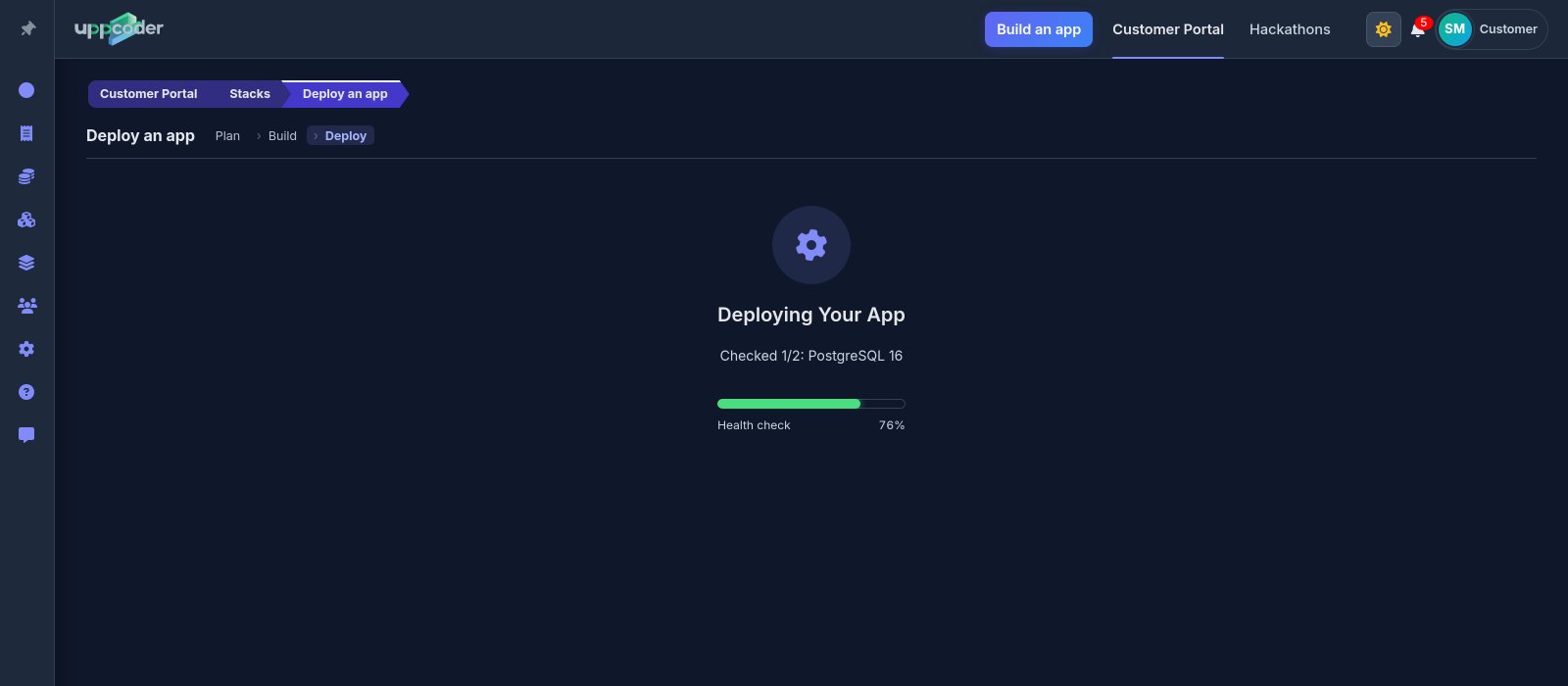
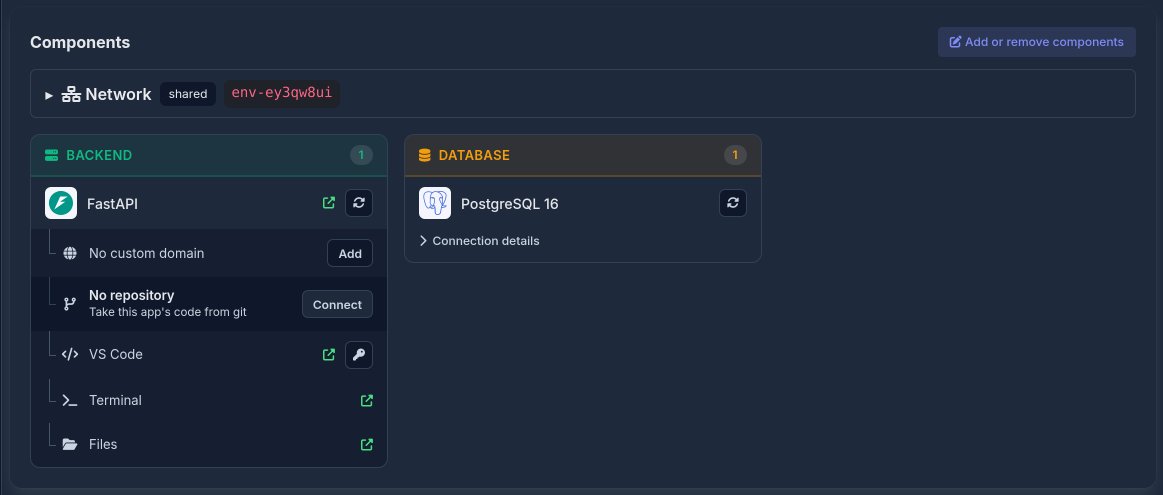
Press Deploy, check the summary, then Confirm and deploy. Ours was live in 39 seconds. The stack page has everything in one place: the app's address, VS Code, the web terminal and the database. Open the address and the starter answers {"Hello": "World"}; add /docs to it for FastAPI's interactive API page.


The database is already wired in
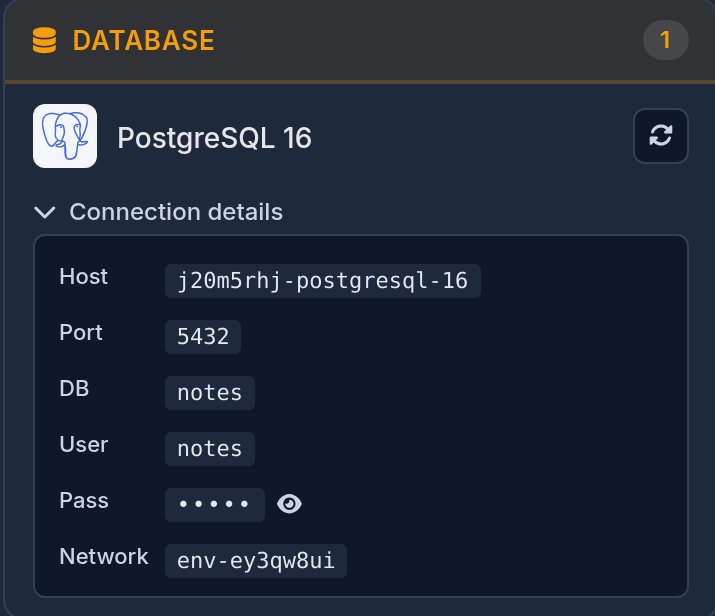
The app gets the whole connection as DATABASE_URL, and the parts as POSTGRES_HOST, POSTGRES_PORT, POSTGRES_DB, POSTGRES_USER and POSTGRES_PASSWORD, so no password sits in your code. When the app starts, Uppcoder installs the PostgreSQL driver (psycopg) and adds it to requirements.txt. The app runs as uvicorn main:app with --reload, so every time you save main.py in VS Code, the app restarts with the change.
A first API on PostgreSQL
Open main.py in VS Code, replace the starter with this and save. It creates a notes table when the app starts and gives you two endpoints. Try them from /docs: POST /notes with {"text": "first note"}, then GET /notes. We ran exactly this code on a fresh app.
import os
from contextlib import asynccontextmanager

import psycopg
from fastapi import FastAPI
from pydantic import BaseModel

DATABASE_URL = os.environ["DATABASE_URL"]


@asynccontextmanager
async def lifespan(app: FastAPI):
    with psycopg.connect(DATABASE_URL) as conn:
        conn.execute("CREATE TABLE IF NOT EXISTS notes (id serial PRIMARY KEY, text text NOT NULL)")
    yield


app = FastAPI(lifespan=lifespan)


class Note(BaseModel):
    text: str


@app.get("/")
def read_root():
    return {"Hello": "World"}


@app.post("/notes")
def add_note(note: Note):
    with psycopg.connect(DATABASE_URL) as conn:
        row = conn.execute("INSERT INTO notes (text) VALUES (%s) RETURNING id", (note.text,)).fetchone()
    return {"id": row[0], "text": note.text}


@app.get("/notes")
def list_notes():
    with psycopg.connect(DATABASE_URL) as conn:
        rows = conn.execute("SELECT id, text FROM notes ORDER BY id").fetchall()
    return [{"id": r[0], "text": r[1]} for r in rows]
Bring your own code
On the stack page, the FastAPI card has No repository, Connect: paste the repository's https address (GitHub, GitLab, Bitbucket or any other git host), pick the branch, and add an access token if it is private. It is cloned into the app and the app restarts on it; Pull brings in new commits later. The app is started as uvicorn main:app, so keep your FastAPI object in main.py, or put your own start command in a startup-app.sh file in the app folder. List psycopg[binary] in your requirements.txt.
Share it
When you want other people to use it, switch Private to Public at the top of the stack page. It changes at once, with no restart, and anyone with the link can call the API. VS Code, the terminal and the files always stay behind your login. Prefer your own editor? The stack page also shows how to connect over SSH from VS Code Remote, Cursor, JetBrains Gateway or Zed.
FastAPI, its database and an editor, live in under a minute, on the free plan.